Scoring Evaluations
To score an evaluation you need to assign score values to each question in the selected scorecard. The possible values are determined by the question type that is defined in the scorecard and appears to the right of each question in the evaluation.
|
For each question category or question, you can view the description of the item, as defined by the scorecard, by moving the mouse pointer over the question category or question text. |
To assign a value click the desired score for the question depending on the question type table below. As each score is selected the Progress and Score values for the evaluation will be updated to reflect the changes.
Question Types
Yes or No |

|
Yes, No or N/A |

|
Yes, Partial, No, or N/A |

|
Scale 0-5, or N/A |

|
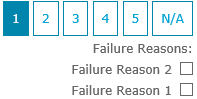
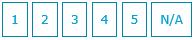
Scale 1-5, or N/A |
|
Points (0-9) |

|
|
Assigning a score of N/A updates the Progress percentage, but the score calculates as if the question does not exist Assigning a score of No to a question where the Failure Weight is set to -1 will result in the score automatically being set to 0% for the entire evaluation. |