Step 5 – Collect the Server Tokens from the Primary & Secondary QMS Server
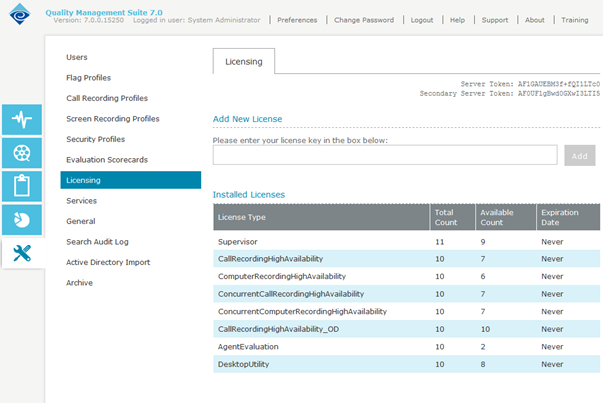
On the Primary server, you will need to collect the Server Token and the Secondary Server Token to obtain High Availability Licenses. If this is a new install, simply navigating to the URL below while on the server should bring up a licensing page with the Server Token and Secondary Server Token at the top right. If an upgrade, you will need to navigate to the Licensing page under Admin in the QMS Administration site. If the Secondary Server Token is not listed, navigate to the following URL on the secondary server and use that Server Token.
Once both the primary and secondary Server Token is retrieved, pass these along to your Enghouse Sales or Support member to obtain the High Availability licenses. Once the license key is obtained, you will install it on the Primary QMS Server. Once installed, you should see Available licenses that end with High Availability.