Advanced Configuration
The QMSConfig tool is a Windows forms application that allows an administrator to change options configured at installation and configure advanced system and security settings. The tool is located in the installation directory where any QMS component is hosted.
Host Configuration
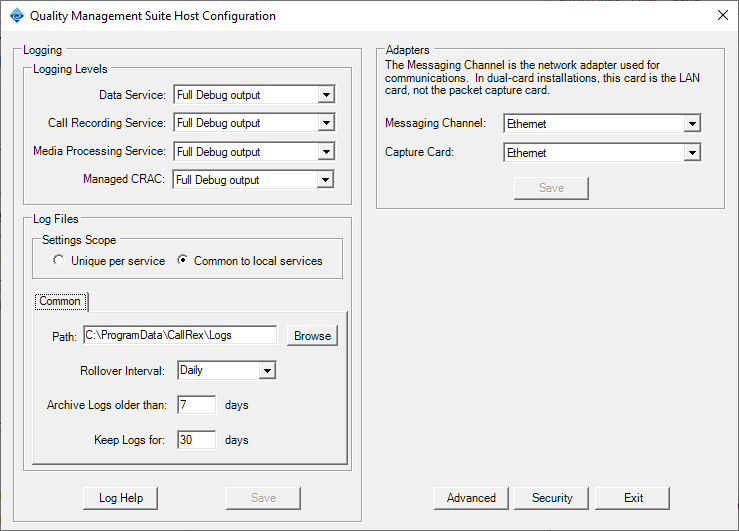
The host configuration form allows an administrator to select different log levels and log locations on a component basis and specify which network adapter is used for component communications and audio capture. Additionally, the Advanced and Security buttons provide access to the advanced settings and security configuration forms respectively.
Advanced Settings
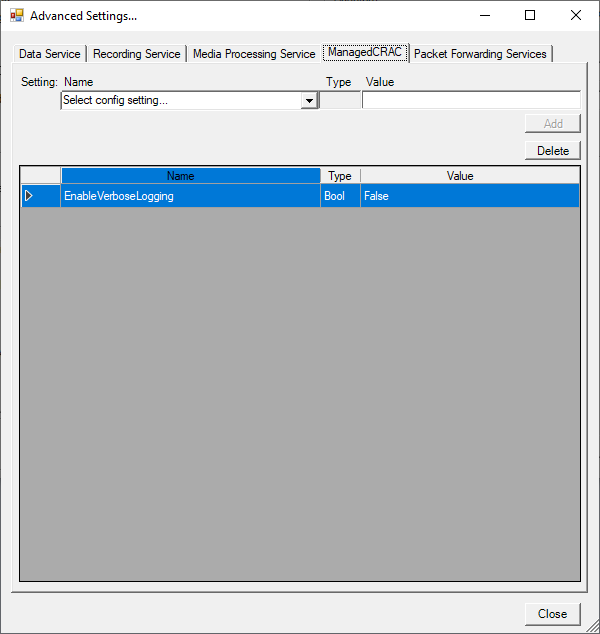
The advanced settings form allows an administrator to manipulate settings that control behavior in select environments. Modifying a setting not referenced in this document isn’t recommended and can result in indeterminate behavior in environments where a setting isn’t applicable.
Add, edit or delete a component setting by first selecting the tab at the top of the form representing the component.
-
Add a setting by selecting the setting name in the "Name" drop-down list, entering an appropriate value in the "Value" textbox and clicking the "Add" button.
-
Edit a setting by modifying the text in the "Value" column of the grid and commit the change using enter.
-
Delete a setting by selecting it in the grid and clicking the "Delete" button.
The component related to the setting(s) change will need to be restarted for the change to take effect.
Security Configuration
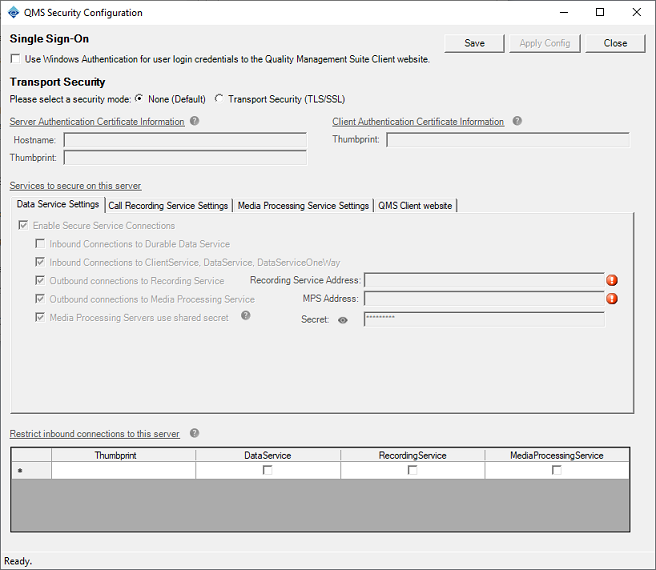
The security settings form allows an administrator to secure a variety of communications paths between QMS components. See Configure Secure Transport for more information about this topic.