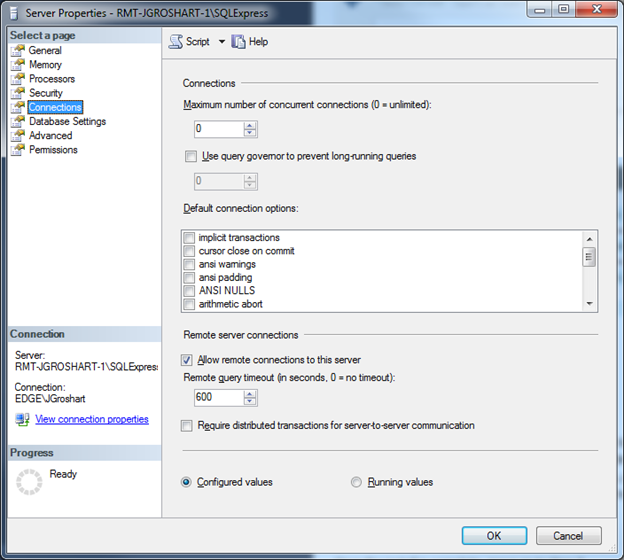
Step 7 – Enable Remote Connection and TCP/IP Protocol on both SQL Server instances
Using SQL Management Studio from the Primary Server, connect to both the primary and secondary database instances. Right-click both the Primary and Secondary Connection Object Strings, Select Properties and then Select the Connections Page. Ensure that the Allow remote connections to this server is selected.
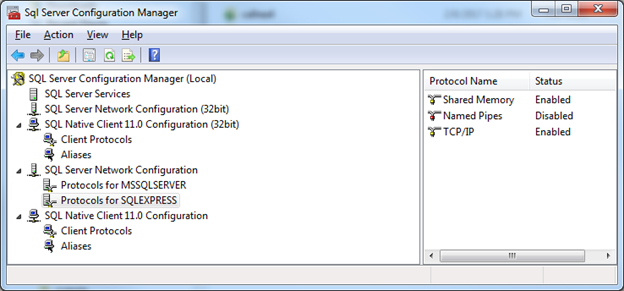
Next, while logged into both the Primary and Secondary server, launch the SQL Server Configuration Manager. Under the SQL Native Client Configuration → Client Protocols, ensure that TCP/IP is Enabled. Also under SQL Server Network Configuration, select Protocols for both your primary and secondary server instance and ensure that TCP/IP is enabled.