Step 6 – Install the Secondary SQL Server Database
If using existing corporate database as the secondary SQL Server, simply skip this step. Otherwise you will need to install the SQL Server on the secondary QMS server. This install can be Enterprise or Standard Edition or SQL Express. If using SQL Express, you should be able to use the same installer used for the Primary to install SQL Express on the server. You can also download SQL Express at the following URL:
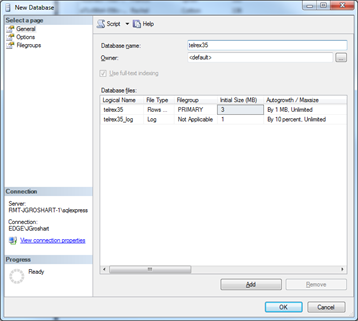
Once the install is complete or you’ve selected your Secondary database server, you will need to create a telrex35 database. You will not need to add any tables or other information into this new database. This will be completed by the initial replication once that step is completed. But, you will need to create the empty database. To do this, open SSMS on the Subscription server, confirm your connection string is pointing to the local Subscription server, then right click on the Databases folder and select New Database. Change the database name to telrex35 and modify any other desired settings and click OK.