Step 5: Run QMS Upgrader
For each QMS 12.3 server you are upgrading, follow these steps. If you have multiple servers in your deployment, start with the server running the QMS Data Service first. If the Cisco Contact Center Connector is installed, stop it first (see Sites with the Cisco Contact Center Connector).
-
Download the QMS 12.3 upgrade package from the link you have been provided.
-
Extract the contents of the .zip file into a folder.
-
Run the QMSUpgrade.exe file that is in the folder you have extracted the files to.
During the upgrade you will be asked to supply the RabbitMQ username and password which will be added to the configuration of each service. If the upgrader detects the system is High Availability you will be given a seperate dialog box for the MPS RabbitMQ settings, as the hostname must include both HA servers (see RabbitMQ and QMS High Availability).
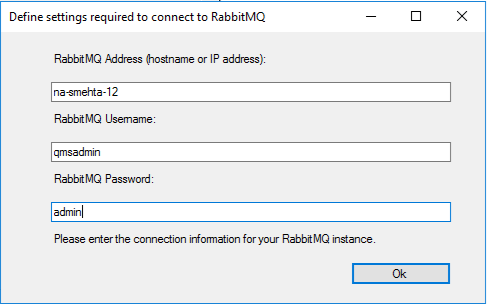
The QMS Upgrader will stop all QMS services, upgrade your database and all portions of the QMS software to version 12.3, and restart all services.
| To allow more flexibility when architecting large QMS installations, the 7.2 and newer releases break the media processing functionality of the Call Recording Service (CRS) out into a new, separate service. The Call Recording Service will only record raw audio while the new Media Processing Service (MPS) will handle all recording playback, conversion, transcription, and encryption tasks. Any server hosting the Call Recording Service that is upgraded to 7.2 or newer will have the new QMS Media Processing Service installed automatically. The pre-upgrade storage locations assigned to the CRS will be reassigned to the MPS and new storage locations created and assigned to the CRS. |
| When upgrading a Postgres database using Windows Authentication, you must be logged into Windows using the same service account that the DataService uses when upgrading the DataService machine. The Postgres connection string stored in the DataService configuration will typically include the windows username that is expected to be authenticated and must match the Windows user that runs the QMSUpgrade.exe. |