Edit Transcription Add Words
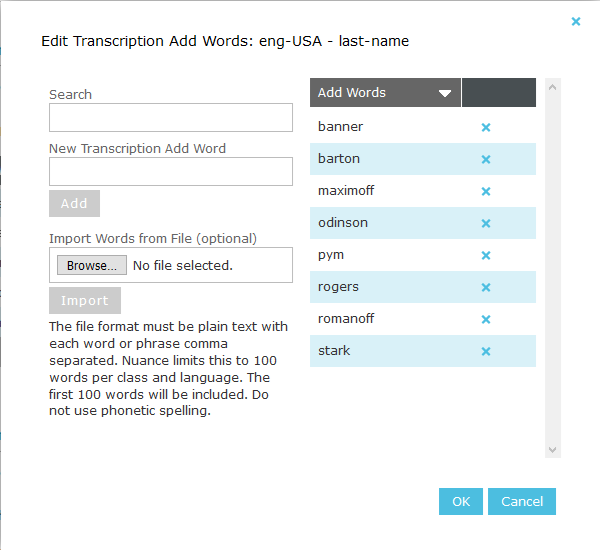
Search – Allows for a search of the Add Words in the category. The search is dynamic and the table will update as the characters are typed into the field.
New Transcription Add Word – Type a new word into the field and click the Add Button to add it to the list.
Import Words from File – This allows a comma delimited file containing a list of Add Words to be selected and imported into the list.
Add Word List – This table lists all the Add Words for this category. The X Button will remove the word from the list.
Once the list of words for the category are edited, clicking OK will update the table counts in the Settings page. These changes will not be saved to the database until the Save button is clicked. The cancel button will simply forget any changes made in that edit session.
Words should be entered with normal (non-phonetic) spelling. The Add Words will be sent and used with transcription requests.
See also: