Prerequisites
Before installing the QMS Packet Forwarding Service, verify that the following prerequisites have been installed and enabled on your system.
Microsoft’s Network Monitor
To install Microsoft’s Network Monitor, complete the following steps.
-
Download and install Microsoft’s Network (64-bit) from the following location:
.Net Framework 4 (Full Installation)
To install .NET Framework 4 (Full Installation), complete the following steps.
-
Download and install the Sever Core version of the .NET Framework 4 from the following location:
Enable Server features
To run an installation that uses Windows Installer, indicated by a .msi file, some of the features must be enabled manually on Windows Server Core. To enable these features, complete the following steps.
-
Log in to the Windows Server Core machine, locally or through Remote Desktop.
-
At the command prompt, type dism/online/enable-feature/featurename:NetFx2-ServerCore.
-
If prompted, reboot the server and log back into the server after the reboot is finished.
-
At the command prompt, type dism/online/enable-feature/featurename:NetFx2-ServerCore-WOW64.
-
Proceed to the steps outlined in the Installation section.
System requirements
Processor:
-
Dual core consumer grade or better
Memory:
-
2 GB memory (minimum)
Hard drive:
-
100+ GB, 7200 RPM minimum
WinPcap 4.1.3 or Npcap Installation
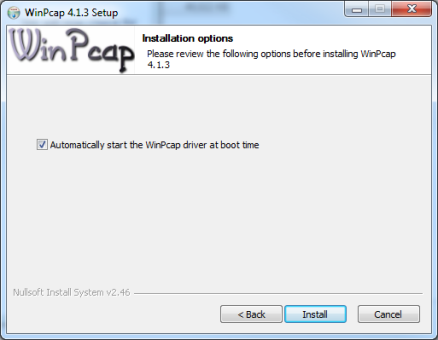
WinPcap or Npcap is a prerequisite for the Packet Forwarding Service. This section discusses the installation of WinPcap, which is the default deployment. Npcap must be licensed independently from QMS and the installation instructions should be found in the licensed software. The WinPcap software is redistributable, but the license requires that the install is not silent. The install is very simple and only requires clicking through the windows and using the default settings. Make sure to leave the Automatically start the WinPcap driver at boot time checkbox checked.
Diagnostics
Windows Management Instrumentation Performance Counters
There are two counters added to the Windows Performance Monitor for the QMS Packet Forwarding Service. The counters and a description of what they measure are as follows:
-
Total Packets/sec: bytes count of packets processed by the service over a second.
-
Total Bytes/sec: amount of data sent to all destinations by filter 1 and filter 2